Maintaining Forecasts Outside of Forecast Simulation
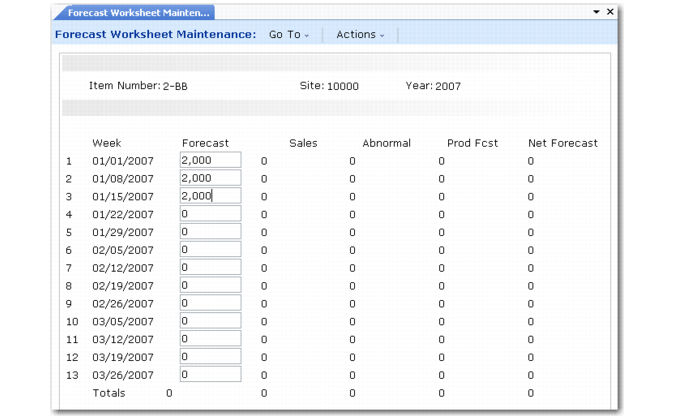
If you need to manually enter or modify item shipment forecasts outside of forecasting simulation functions, use Forecast Maintenance (22.1) or Forecast Worksheet Maintenance (22.2).
Forecast Worksheet Maintenance (22.2)
Forecast quantities entered using these functions display in weekly buckets and appear as a demand requirement for the Monday of that week.
To create new item forecasts for a given site and year, enter expected weekly shipment quantities expressed in the item's unit of measure.
You should forecast at least as many weeks as are required to cover the cumulative lead time of the item, which is the maximum time it takes to produce that item if none of its lower-level components are in stock. Forecasting an item based on cumulative lead time ensures sufficient time to respond to changes in the requirements for that item.
Note: Shipment forecasts do not represent the quantity of incoming orders, but rather the quantity expected to be shipped during a one-week period.
Forecast Worksheet Maintenance (22.2) includes the following display fields:
Forecast
The shipment forecast for a given week.
Sales
The quantity of an item on confirmed sales orders and required ship schedules to be shipped this week.
Abnormal
Confirmed sales for this week that should not consume forecast. See
here.
Production Forecast
A system-calculated forecast quantity used in multilevel master scheduling. See
here.
Net Forecast
The total forecast quantity seen as demand by MRP. See
topic.