Defining a Domain GL Calendar Year
Use the Domain GL Period activities (25.4.1) to create, modify, or view the domain-level GL calendar year. You can create a new year based on an existing one. This is typically used unless you have changed your legal GL calendar year requirements. When you choose Create, the screen shown in
Domain GL Period Create displays.
Domain GL Period Create
Field Descriptions
New Year
This field displays the new GL calendar year to create. The default value is the latest GL calendar year, incremented by one.
Copy from GL Calendar Year
Select to use an existing year as a template for the new year, and specify the year.
Create Manually
Select to create a new year by manually specifying the periods.
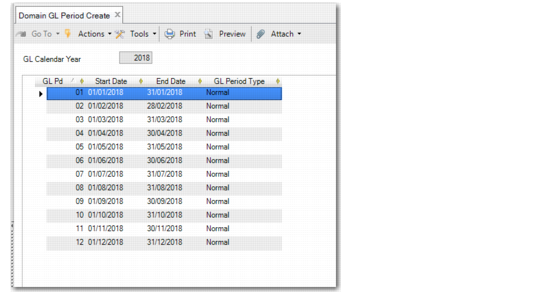
Defining the GL calendar year displays the Domain GL Period Create screen (25.4.1.1), in which you define period dates and attributes.
Domain GL Period Create
Field Descriptions
GL Calendar Year
This field displays the new GL calendar year.
GL Pd
Specify a period number. By default, periods are numbered 1 to 12. It is possible to create a maximum of 99 GL periods for a GL calendar year.
Start Date
Click the down arrow to select a period start date. This is the official start date of the calendar period.
End Date
Click the down arrow to select a period end date. This is the official end date of the calendar period.
The other fields cannot be modified; domain-level periods are always of type normal.