SAF
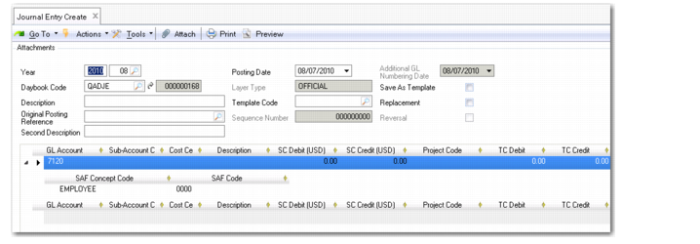
The SAF grid displays when the account, cost center, or project specified in the posting is defined with SAF analysis. SAFs provide additional reporting on specific areas within GL accounts. If SAF analysis has been defined for an account, cost center, or project, the codes appear automatically in the posting lines.
Journal Entry Create can only display a single SAF structure on a posting line. If a posting line contains more than one set of SAFs, you receive the error message: “Dual SAF structures are not allowed within a single posting line.”
If a posting line contains both a project and a cost center, and both have SAF structures, only the cost center SAFs are used and the project SAFs are ignored. See
Supplementary Analysis Fields for more information on setting up SAFs.
See
Defaults Tab for information on defining SAF analysis on an account, and
Supplementary Analysis Fields for detailed information on SAF analysis.
Journal Entry, SAF Grid
Field Descriptions
SAF Concept Code
This field displays the SAF concept code defined for analysis on the account.
SAF Code
This field displays the SAF code assigned to the SAF concept. Every SAF concept has at least one default SAF code.