Customer Payments
Use customer payments to resolve customer open items. The payment system lets you process the following:
• Customer-initiated drafts
• Supplier-initiated drafts, for processing collections or bills of exchange
• Checks
• Credit card payments
• Summary statements, for processing third-party summary payments
• Promissory notes
For each of the payment instruments listed, the payment can be directly allocated to open invoices or can be recorded as a prepayment. See
Creating a Prepayment.
The instruments you use to complete these processes are described in
Customer Payment Instruments.
Note: The system uses a similar process for both customer and supplier payment instruments and for both paper and electronic payments.
Payments are associated with status codes, which are used to manage the payment process through final collection and updating of accounts. You process the payment by changing the payment status from one status to the next in the sequence that meets your business requirements. See
Customer Payment Statuses.
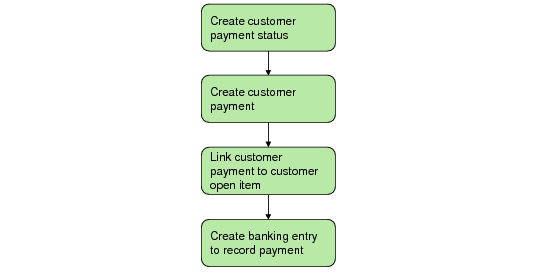
To complete the process, create a banking entry to record the payment, as shown in the following figure.
Customer Payment Instruments Flow
Note: You can also generate customer payments in the system from the transaction messages contained in imported bank files. See
Processing Incoming Bank Files.