Exporting Data Using the Generic Gateway
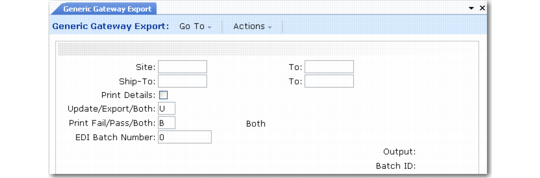
Use Generic Gateway Export (35.4.20) to enter and export EDI data based on implementation definitions when a specific export gateway program is not available for the associated document type. You can enter data for any field defined in the implementation definition. The values you enter are then mapped to the outbound document as specified in the associated transformation definition.
Generic Gateway Export (35.4.20)
To use the program, enter site and ship-to address criteria. The system searches for matching cross-reference records defined in Trading Partner Maintenance (35.13.7) and displays a list of available trading partners and document types for the site/ship-to combination. Select the trading partner and document type you want to export and choose Go to display the structure of the first record in the implementation definition. Choose Insert to display the entire record structure. You can then select records and enter data in fields as needed.
Note: Mandatory fields are marked with an asterisk (*).
When you complete data entry and choose Go, the system creates the document based on the values you entered. Depending on the value of Update/Export/Both, you can also have the system automatically export it at the end of the process.
Note: Unlike other export programs, Generic Gateway Export does not use trading partner parameters, which are set up in Trading Partner Parameter Maint (35.13.10). Instead, the program exports for any Site and Address combination defined in Trading Partner Maintenance (35.13.7). See
Setting Up Trading Partners.