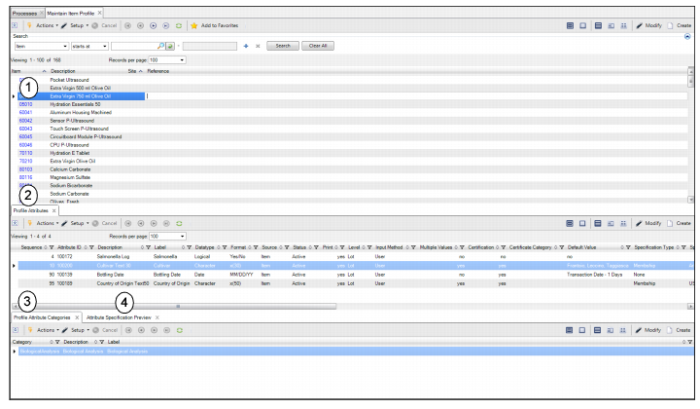
Maintain Item Profile Collection
The Maintain Item Profile collection allows you to link and maintain one or more item attributes to a specific item to be used as:
• A descriptive attribute for that item
• A lot or sublot attribute for that item and additional details for the attribute, such as the default value and specification
• A control parameter
Note: In IAQ, you can create additional kinds of attribute profiles known as deviations that are associated with specific items, suppliers, PO lines, customers, and so on. See
Managing Attribute Deviations.
Access the Maintain Item Profile collection by selecting Maintain Item Profile from the Manage Item Profiles process map.
Maintain Item Profile Collection
The item profile collection consists of the following browses and tabs:
1 Item Profile. Displays a list of all item profiles for items and for deviations for items and sites. Double-click the item profile to view detailed information, such as item number, site, and reference information. In this browse, you can view, modify, or add new item profiles.
2 Profile Attributes tab. Displays the attributes associated with this item profile. In this tab, you can view, modify, or add new attributes to the profile. See
Adding Attributes to an Item Profile.
4 Attribute Specification Preview tab. Allows you to verify if the item profile has been set up correctly. For more information, see
Verify Item Attribute Setup.