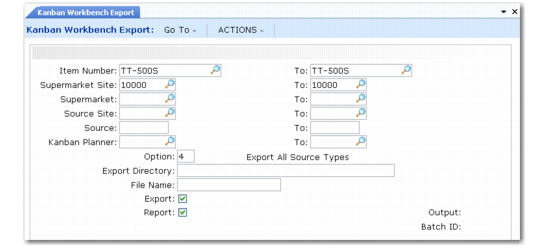
Field Name | Format | Description |
knb_primary_key | decimal | Kanban Loop ID: internal keyid of knb_mstr record |
part | character | Item |
source_site | character | Source site |
source | character | Source ID of the process, supermarket, or supplier |
source_type | character | Source Type: Process, Supermarket, or Supplier |
supermarket_site | character | Supermarket site |
supermarket | character | Supermarket |
daily_demand | decimal | Average daily demand |
demand_um | character | Demand UM |
demand_method | character | Demand method |
demand_pct | decimal | Demand percent |
replenishment_time | integer | Replenishment time (in seconds) |
fifo_time | integer | Internal FIFO time (in seconds) |
fifo_ext_time | integer | External FIFO time (in seconds) |
fixed_interval | integer | Fixed interval time (in seconds) |
setup_time | integer | Setup time (in seconds) |
cycle_time | integer | Cycle time (in seconds) |
safety_stock | decimal | Safety stock |
safety_time | decimal | Safety days (in decimal days) |
var_factor | decimal | Variability factor |
epei_current | decimal | EPEI—Current |
epei_revised | decimal | EPEI—Revised (Defaulted from EPEI Current) |
epei_auto_calc | Yes/No | EPEI auto calculation |
order_qty | decimal | Order quantity |
order_qty_mult | decimal | Order quantity multiple |
pack_qty | decimal | Pack quantity |
packs_per_kanban | decimal | Packs per kanban |
kanban_qty | decimal | Kanban quantity |
number_of_cards | integer | Number of cards |
pitch_um | character | Pitch UM |
pitch_um_demand | decimal | Demand in pitch UM |
time_available | integer | Time available (in seconds) |
pct_uptime | decimal | Uptime percentage |
step | character | Step |
pitch_um_conv_factor | decimal | Pitch UM conversion factor |
epei_conv_factor | decimal | EPEI conversion factor |
epei_display | character | EPEI display: Hours, Days, Weeks, Months |
pacemaker | Yes/No | Pacemaker process indicator |
no_of_resources | decimal | Number of resources |
min_process_epei | decimal | Minimum process EPEI |
item_yield_pct | decimal | Item yield percent |
lead_time_method | integer | Lead time method |
load_limit | decimal | Load limit |
min_process_item_epei | decimal | Minimum item EPEI |
run_out_option | integer | Run-out option |
fraction_kanban_percent | decimal | Fractional kanban |
card_reporting | integer | Card reporting |
cost_allocation | decimal | Cost allocation |
run_out_setup | decimal | Run-out setup time |
run_out_quantity | decimal | Run-out quantity |
run_out_quantity_um | character | Run-out quantity UM |
run_out_quantity_per | decimal | Run-out quantity per |
run_out_quantity_per_um | character | Run-out quantity per UM |
run_out_conv_factor | decimal | Run-out conversion factor |