PSW Workbench Elements
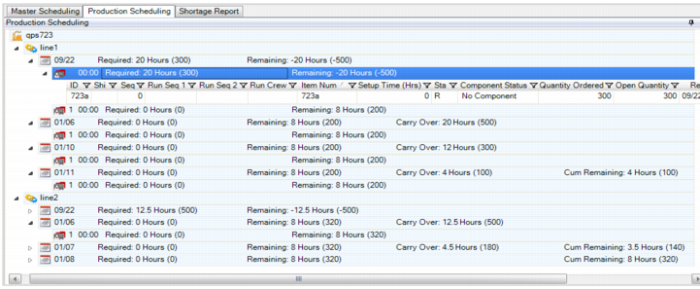
PSW displays the PSW workbench. The text following the figure describes how each panel is used.
PSW
Resource Panel
Based on your selection criteria, the Resource Panel displays records that match your search criteria. For detailed information, refer to
(2) Resource Panel.
Sequence Grid
The Sequence Grid lets you concurrently view a list of both sequenced and non-sequenced production orders. In the Sequence Grid, you can view sequenced and non-sequenced orders that you move from Production Order browse. Production Order Browse lets you view all sequenced and unsequenced orders across the board.
The Sequence Grid displays item supply records—that is, production orders—with daily bucketed quantities of the production order supply records for the item. The quantities shown within the Sequence Grid are production order quantities.
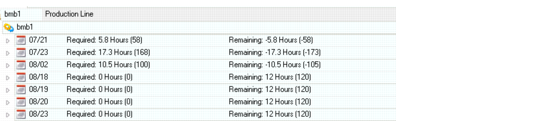
PSW shows capacity in hours and units. The unit reflection is for required capacity; that is, that x units are needed per the schedule. There is also a unit reflection for remaining capacity; that is, you can produce x more units based on the current schedule entered for the release date. In the PSW, the unit that displays is based on an average. There are two types of values for hours that display: one pertains to remaining capacity, while the other pertains to required capacity.
You can add columns to the PSW Sequence Grid as well as add or modify column header labels, using QAD EE standard label maintenance programs.
Supporting Data/Information Tabs
Similar to the MSW, additional data/information for production orders and items is provided in various supporting tabs that display at the bottom of the PSW. For information on updating data or field descriptions in these windows, refer to
Common Features.
Sequence Horizon
The sequence horizon determines the number of sequencing daily buckets that show in the PSW. If the horizon is three days, for example, then you see today plus two more days in the PSW. Past due orders always display in the Sequence Grid even if they are not within the current sequencing horizon. For information on setting the sequence horizon, see
Defining PSW Sequencing Horizon.
Sequence Horizon