Using Requisitions to Build POs
This section describes how to select requisition line items and use them to create a purchase order.
When a requisition has been approved, you can reference the requisition line items on a purchase order in two ways:
• On a new or existing purchase order, use Purchase Order Maintenance (5.7) to reference each individual requisition line on a PO line. See
Modifying the Purchase Order.
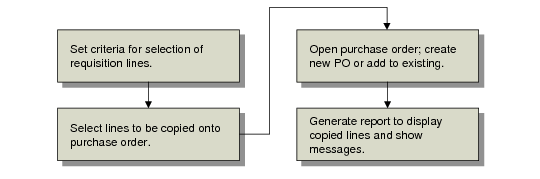
• Copy requisition lines directly to a new or existing purchase order using Build PO from Requisitions (5.2.18).
This section discusses the second option.
Build PO from Requisitions Task Flow summarizes the task flow.
Build PO from Requisitions Task Flow