QAD 2017 Enterprise Edition > User Guides > Service/Support Management > Multiple Time Zones > Effects of MTZ > User Preferences
  
User Preferences
Each user can set up defaults for some fields with Service/Support User Preferences, illustrated in Service/Support User Preferences (11.21.23). When MTZ is active, users can define a preferred time zone with each user. The current user’s time zone is one of the display options available for call information and reports.
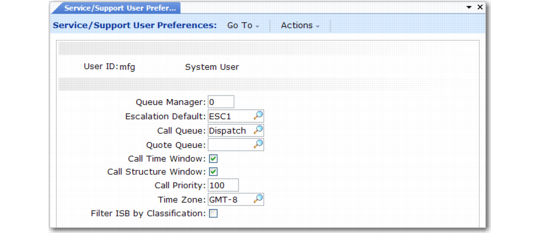
Service/Support User Preferences (11.21.23)
Note: Time zone for end users initially defaults from the domain time zone. This is true even when a different time zone is associated with the user in User Maintenance (11.3.18).