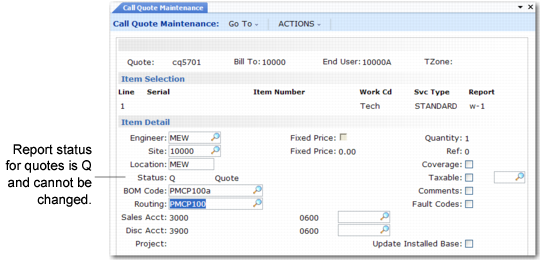
Item Selection Frame
After you enter an item requiring repair, the system fills in the item details, which you can modify. Frames display for recording labor, expenses, and items to be consumed during the repair.
If you attached a repair BOM and routing to the item in Service Item Maintenance (11.3.7), the items and operations load into the detail frames for this quote. You can modify the items and quantities.
Note: In CAR, you can use the Report field to open multiple reports for recording activity against a call line, so that progressive invoicing can take place. In Call Quote Maintenance, you cannot open multiple reports against an item.
The status of reports on quotes is Quote, indicating the system does not invoice these amounts.
Item Selection Frame
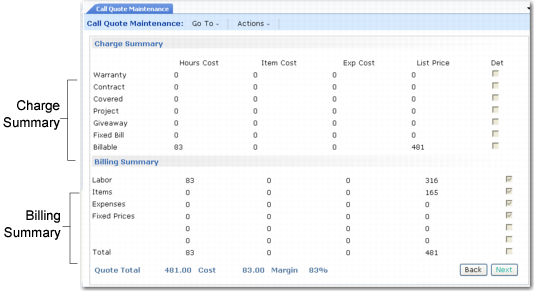
After costs are recorded, a summary frame displays.
Call Quote Maintenance Summary
These frames summarize the cost of the proposed service and the amount to bill to the customer. Unlike Call Invoice Recording, Call Quote Maintenance does not calculate taxes and all service is billable to the customer.