Confirmation Frame
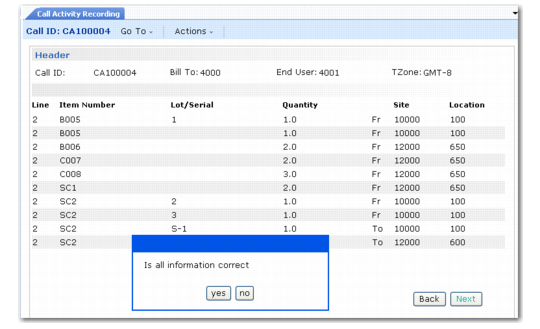
When you exit the labor/expenses and item usage frames, the system prompts you to display inventory about to be processed. If you accept the default of Yes, the system displays a confirmation frame similar to the one illustrated in
Inventory Confirmation Frame, listing the items that it will issue and return on this call.
Important: Review the summary information to check the item numbers, inventory sites, and locations. After the system processes the inventory, there is no simple way to correct mistakes.
Items returned with a pending status do not display on the confirmation frame, because no inventory transactions take place for them at this time.
Inventory Confirmation Frame
To make changes, respond No to the prompt asking if the information is correct. The Item Selection frame displays so that you can proceed through the detailed usage frames again.