QAD 2017 Enterprise Edition
>
User Guides
>
Service/Support Management
>
Material Orders
>
Creating Material Orders
Creating Material Orders
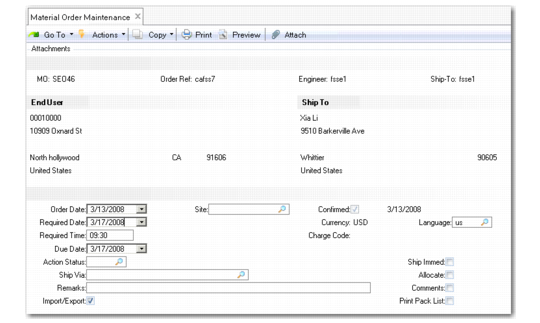
Creating an MO is similar to creating a sales order. You create MOs in Material Order Maintenance (11.11.1), shown in
Material Order Maintenance (11.11.1). Follow these steps:
1 Define MO header data.
2 Create MO line items.
3 Optionally initiate shipment.
Material Order Maintenance (11.11.1)
You order items on an MO as you do sales order line items.
Except for fields added to accommodate the call relationship, the MO fields act like the equivalent sales order fields. However, you define default values for MO fields in Material Order Control, including allocate lines due in days, detail allocations, line format, shipping lead time, header and line comments, and keep booking history. These fields operate in the same way as the equivalent Sales Order Control fields.
If you are using EMT, additional fields display on the MO line for the supplier and EMT type—just as on a sales order.
Note: The login country for the user determines the numeric and date formats.