Setting Task Calculation
You must set the Task Calculation field in Local Exit Routine Setup (4.23.10) before you:
• Replenish a wave in Wave Replenishment (4.15.6).
• Release a wave in Wave Release (4.15.8).
The Priority After Active field in Wave Planning Control (4.15.1.24) gives priority to tasks once the system activates them. Activation occurs when you launch release groups during a wave release. The program you specify in Task Calculation in Local Exit Routine Control takes priority into account when creating tasks.
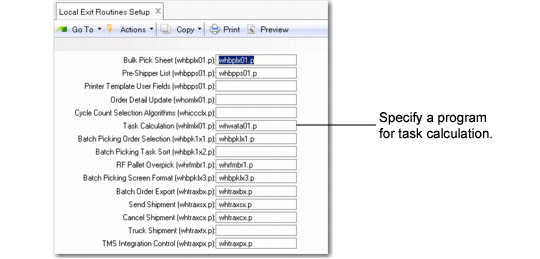
Local Exit Routines Setup (4.23.10) shows the location and correct setting of the field.
Local Exit Routines Setup (4.23.10)