QAD 2017 Enterprise Edition
>
User Guides
>
Warehousing
>
Using Containers
>
Viewing Container Information
Viewing Container Information
Use Order Warehouse Detail Status Inquiry (4.15.4.1) to view the following containerization data:
• Orders that are fully picked but not consolidated
• Orders that are picked and containerized, but not moved to a truck
• The number of units already containerized and the remaining boxes to be containerized
• Outstanding picking tasks for the shipper or ship-to
In the inquiry, you can enter 4 in the header Status field to display all consolidated orders. You can enter 5 to view all packed orders.
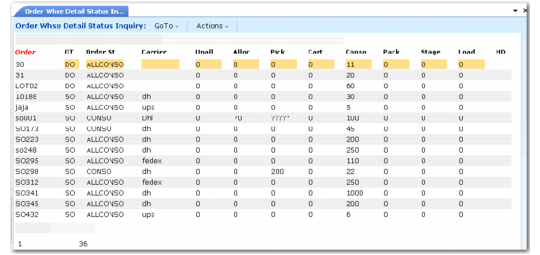
Order Warehouse Detail Status Inquiry (4.15.4.1), Orders in Consolidation shows three orders that display in Order Detail Status Inquiry: two for the same carrier and the same pre-shipper, and another for a different carrier and pre-shipper. In the figure, the orders are in the consolidation area, which is the containerization area. The display indicates that the status is
ALLCONSO, but the orders require containerization because the Pack column reflects 0 packed.
See
Monitoring Order Status for additional details about order status.
Order Warehouse Detail Status Inquiry (4.15.4.1), Orders in Consolidation
When orders are containerized, the status changes to
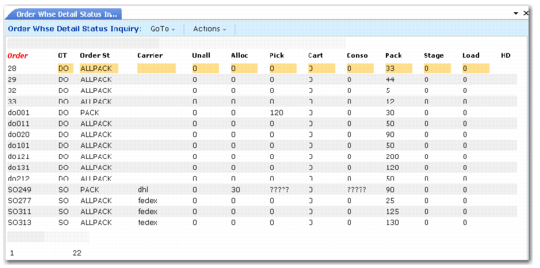
ALLPACK and quantities display in the Pack column, as shown in
Order Warehouse Detail Status Inquiry (4.15.4.1), Orders Containerized.
Order Warehouse Detail Status Inquiry (4.15.4.1), Orders Containerized
If you are building containers for sales orders, press S to view shipper information and containerization levels.
Order Warehouse Detail Status Inquiry (4.15.4.1), Container Levels shows the shipper data display.
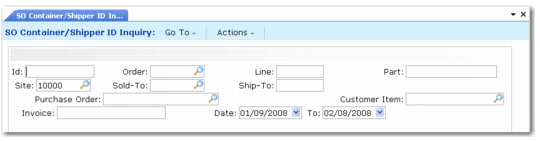
You can also use SO Container/Shipper ID Inquiry (4.15.20.3) to display all containers corresponding to either a pre-shipper or container ID. You can also find container IDs by order, order line, and ship-to or sold-to codes. For each container, the system displays the container content, quantity, location, and shipper to which the container belongs.
SO Container/Shipper ID Inquiry (4.15.20.3)