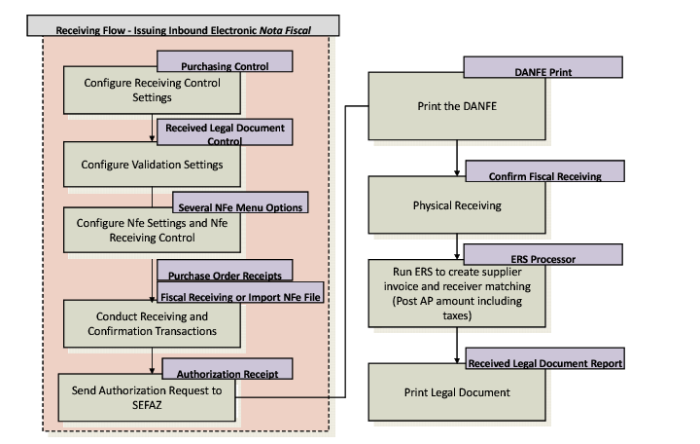
Receiving Flow Including Issuing an Inbound Nota Fiscal
Receiving Flow Including Issuing an Inbound Nota Fiscal
1 Set up the Purchasing Control and Received Legal Document Control settings for fiscal receiving as described in User Guide: QAD Purchasing.
4 Create a purchase order.
The file undergoes a validation process in SEFAZ. If the electronic nota fiscal has been authorized, SEFAZ returns the authorization protocol. If the file is rejected, the system displays notification of this.
7 If the electronic
nota fiscal is authorized, you can print the DANFE. See
Printing the DANFE.
8 Complete the physical receiving process.
Note: You can also create PO shippers automatically through Fiscal Receiving. For more details, see
Automatic PO Shippers.
9 Confirm fiscal receiving.
10 Run the ERS Processor to integrate to AP.
See User Guide: QAD Purchasing for more information on fiscal receiving and User Guide: QAD Financials for more information on the ERS Processor.