Block K
Block K is designed to provide details of monthly production, its consumption of raw materials, and inventory register information for industrial plants.
After the closing date each month, the fiscal department must generate a file to send to the fiscal partner. This file contains information according to the specified layout.
QAD Solution
Block K functionality is part of the fiscal interface audit file. You can select and generate the file containing the required information in Regional Accounting/Tax Data Export (36.5.3). Block K works as follows:
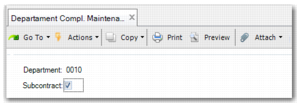
2 In Department Compl. Maint (14.19), the Subcontract field enables you to specify whether a work order is for subcontracting. Make sure that you specify this correctly.
Department Compl. Maint
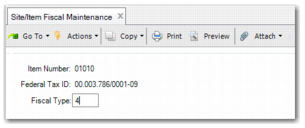
3 Because the fiscal type can be different to for each federal tax ID, you must enter the Fiscal Type per Federal Tax ID and Item Code in Site/Item Fiscal Maintenance (1.3.3).
Site/Item Fiscal Maintenance
4 In the fiscal interface frame in Regional Accounting/Tax Data Export (36.5.3), when the Block K field is selected, the report containing the inventory transactions is generated based on the contents of the Federal Tax ID, State Tax ID, and Effective Date. See
Fiscal Interface, Selection Screen.
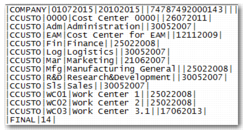
Block K File Layout