|
Category
|
Value
|
Description
|
|
ITRAX
|
INQ RESULTS TABS
|
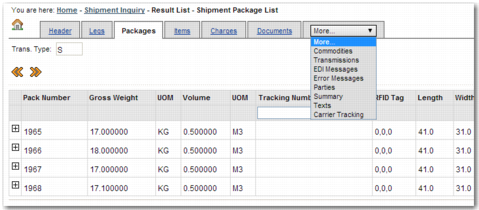
Specify a comma-separated list of values, where each value represents a tab that you want to appear on the View Details page.
Possible values, and the information that appears on the related tab:
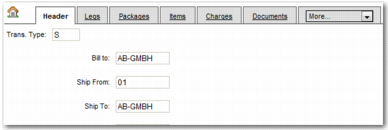
Header - General information about the shipment, including Ship From and Ship To details.
Legs- Individual stages along the shipment route, including the place of loading and place of destination.
Packages - Individual packages within the shipment, including the pack number and RFID tag.
Items - Individual items within the shipment, including the PO number and order line number.
Charges - Charges attached to the shipment, including the currency and the associated line item.
Documents - Documents associated with the shipment, including the document type and the number of times the document was printed.
Commodities - Commodities within the shipment, including the gross weight and quantity.
Transmissions - Transmissions related to the shipment, including transmission dates and numbers.
EDI Messages - Electronic Data Interchange (EDI) messages related to the shipment, including the message status and message reference number.
Error Messages - Error messages associated with the shipment, including the error code, and whether the error was overridden.
Parties - Parties involved in the shipment, including the consignor and the consignee.
Summary - A summary of the shipment, including the place of loading and place of destination.
Texts - Text associated with the shipment.
Carrier Tracking - Carrier tracking information from the PRECISION Exception Management (PEM) engine. This tab also displays general package information, package tracking history, and PEM comments associated with the package.
View Details Screen displays the View Details screen with all possible tabs.
|