Navigation
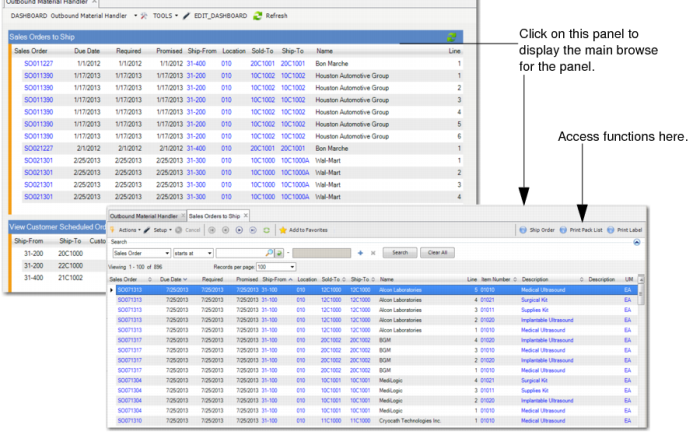
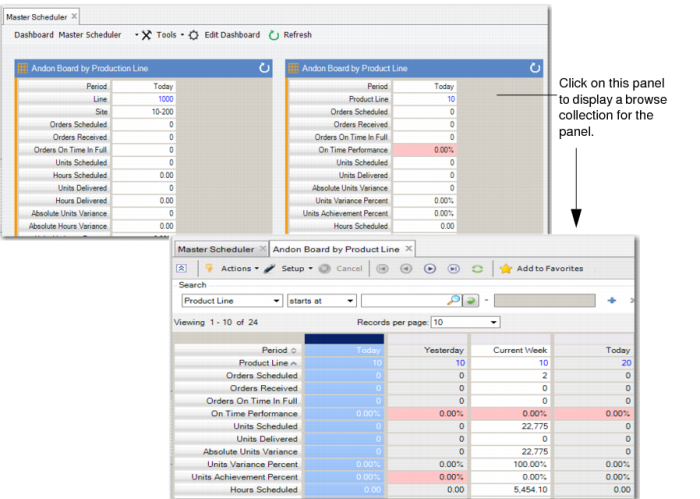
Each dashboard presents different panels. You can click on any panel in the dashboard to go to the underlying source data:
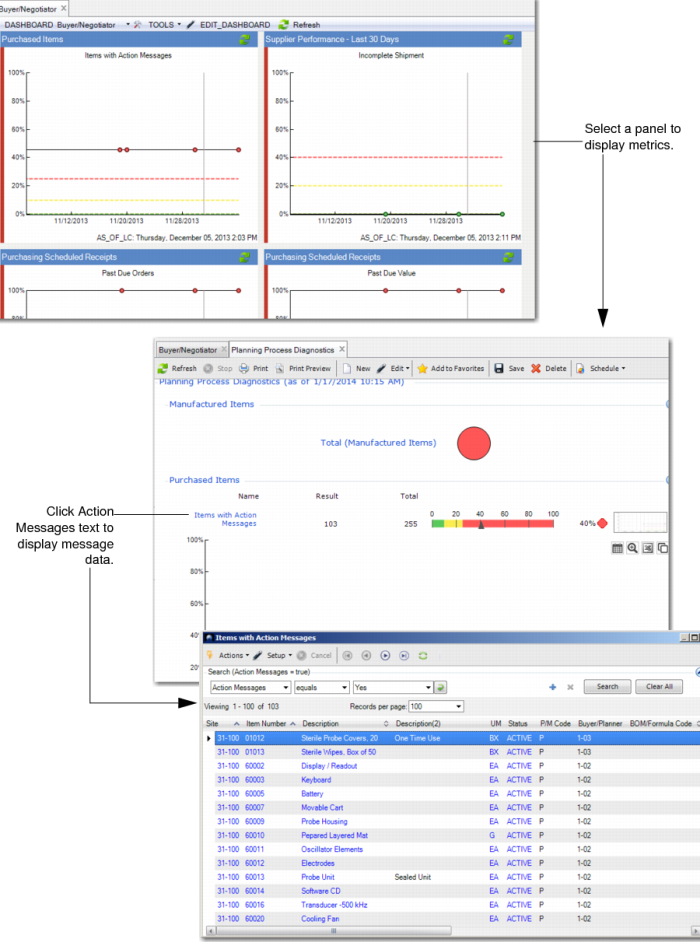
• When you click on an operational metrics-based panel, you go to the operational metric itself, and from there, you can drill into further data, like action messages; see
Metrics Panel and Resulting Metrics Display.
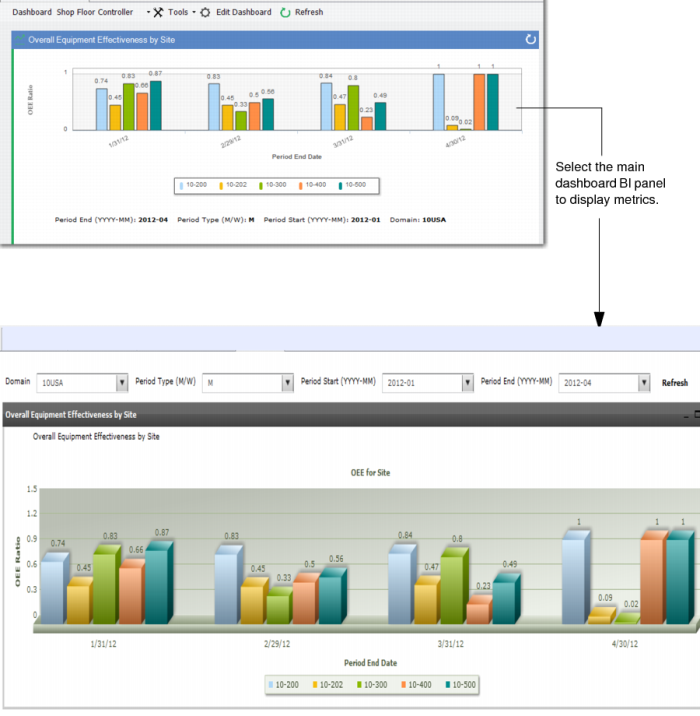
• When you click on a BI-based panel, you go to the BI portal and to the related BI metrics; see
BI Metrics.
The following graphics present several examples of navigating through the dashboards and accessing additional data.
Panel Selection and Resulting Main Browse
Panel Selection and Resulting Browse Collection
Metrics Panel and Resulting Metrics Display
BI Metrics
Drilling to Additional Data
You can access the underlying data behind each panel. This can be done by clicking on a panel and bringing up the browses and browse collections or metrics, then drilling in to even more data:
• For a list of browses associated with each Andon Board, see
Andon Boards.
• For a description of the browses associated with the Action Message Summary panels, see
Action Messages.
• For a list of the panels that each dashboard contains and where you can go from each panel, refer to the topic for the dashboard in this user documentation;
Dashboard Content lists each dashboard by name and links you to the topic for that dashboard.
• For a list of standard EE programs, including maintenance programs, that display when you right click on a field in the main and sub-browses of the Andon Boards, see
Additional Data.
• For a list of other functions that you can access from the main and sub-browses associated with other panels, such as shipping functions, see
Accessing Additional Functions.