QAD 2017 Enterprise Edition
>
User Guides
>
Warehousing
>
Defining Locations
>
Warehouse Location Maintenance
Warehouse Location Maintenance
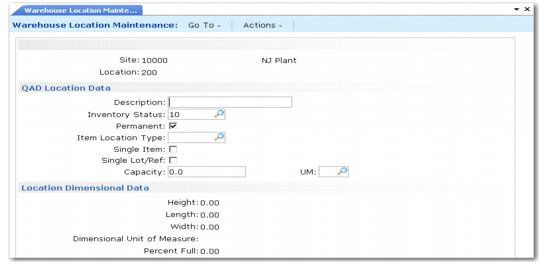
When you have defined your warehouse and its internal routing groups (IRGs), storage location groups (SLGs), and work location groups (WLGs), the next step is to set up all the locations within the warehouse. You can do this for individual locations using Warehouse Location Maintenance (4.3.13).
This lets you define a name for each location and define both the standard system location data and the warehouse- specific data. When you have many locations to define, use
Mass Location Maintenance (4.3.21).
Locations do not need to be permanent storage areas. Use Location Warehouse Maintenance to:
You must also set up docks and shipping lanes as locations before they can be referenced in wave planning functions. See
Defining Lanes and Docks.
Enter the site and location in the header. The system displays the QAD Location Data and Location Dimensional Data frames; see
Warehouse Location Maintenance (4.3.13).
Warehouse Location Maintenance (4.3.13)