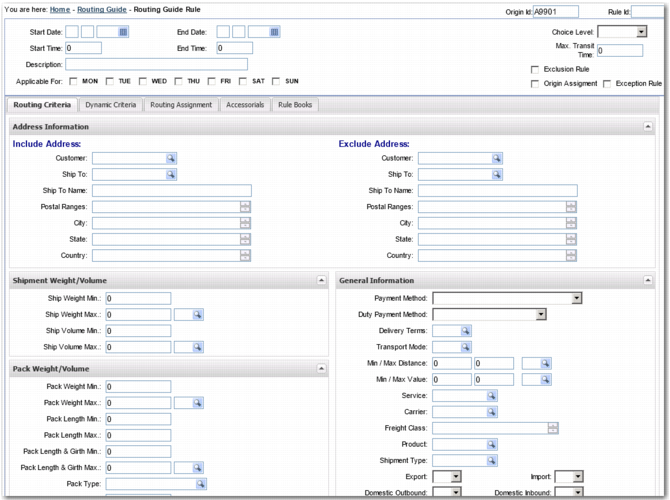
Routing Guide Rule Screen
When you create or update a Routing Guide rule, the screen in
Routing Guide Rule displays.
Routing Guide Rule
The Routing Guide rule header contains fields that determine when a Routing Guide rule can be compared with a shipment. For more information, see
Routing Guide Rule Header.
There are five tabs on this screen. The first two tabs contain criteria that are checked to see whether the Routing Guide rule applies to a shipment:
• Routing Criteria: Criteria that are compared against the shipment’s attributes to determine whether the Routing Guide rule applies to the shipment. The content of this tab is not configurable. For more information, see
Routing Criteria Tab.
• Dynamic Criteria: Criteria that are compared against the shipment’s attributes to determine whether the Routing Guide rule applies to the shipment. The content of this tab is configurable. You can add fields based on the routing policy of your organization using the FILTER FIELDS system values. For more information, see
Dynamic Criteria Tab.
The remaining tabs contain information that is assigned to the shipment when the Routing Guide rule applies to a shipment.
• Routing Assignment: A list of services that are acceptable for the shipment. You can also add payment method and third party information to the shipment. For more information, see
Routing Assignment Tab.
• Accessorials: Additional services that you want to apply to the shipment. Assignment of these services is dependent on their compatibility with the carrier service ultimately assigned to the shipment. For more information, see
Accessorials Tab.
• Rule Books: A set of rule books run against the shipment during the service assignment. If you use this tab, the Routing Assignment and Accessorials tabs must be clear. For more information, see
Rule Books Tab.