Workbench Elements
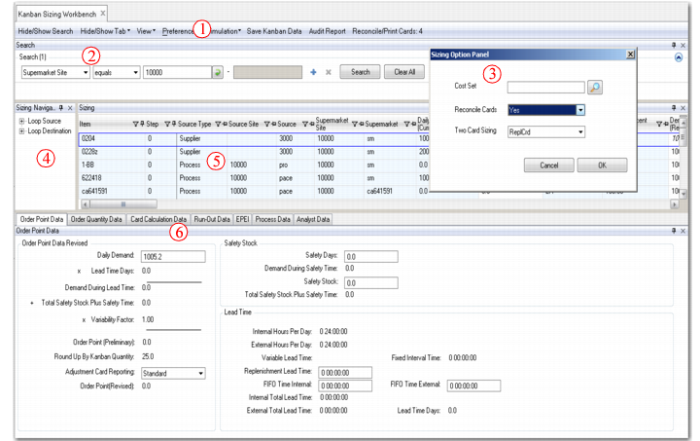
Each kanban workbench contains several common structural elements, illustrated in
Structure of Kanban Workbenches:
1 Tool Bar: Click buttons to control workbench actions.
2 Search Frame: Use standard .NET UI filtering tools to select records for display.
3 Sizing Option Panel: Access from the Preference button to set default values for fields used on the workbenches.
5 Main Grid Frame: View and update sizing or process data in a user-configurable, Excel-style UI.
6 Tabbed Detail Frames: View and update sizing or process data in logically arranged collections of fields.
The following topics describe the features of each element.
Structure of Kanban Workbenches