Warehouse Control
Use Warehouse Control (4.1.24) to set default values for fields associated with individual warehouses.
Warehouse Control (4.1.24)
General Defaults
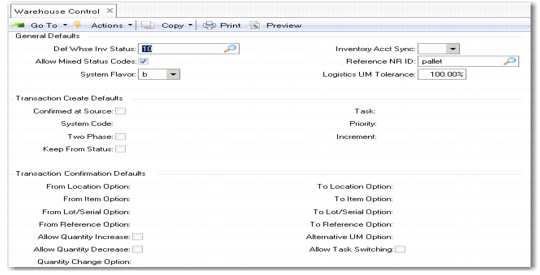
Def Whse Inv Status
You set up the warehouses as dummy locations within the system. Each location, including warehouse locations, takes as a default value the inventory status from the site definition. However, for warehouses you normally want an inventory status that is unavailable, so that you do not hold inventory in the warehouse dummy location. This field lets you set up a default inventory status for each warehouse.
Note: The inventory status you specify for the warehouses should be not available but nettable. Use Inventory Status Code Maintenance (1.1.1) to set up your inventory status codes.
The remaining fields in the General Defaults frame, the Transaction Create Defaults frame, and the Transaction Confirmation Defaults frame set default values used when you define individual warehouse details.
The Picking Defaults frame is shown in
Warehouse Control, Picking Defaults.
Warehouse Control, Picking Defaults
The fields in the Picking Defaults frame set the default values for defining individual warehouse details.
The Hold Defaults frame is shown in
Warehouse Control, Hold Defaults.
Warehouse Control, Hold Defaults
The fields in the Hold Defaults frame set the default values for defining individual warehouse details.
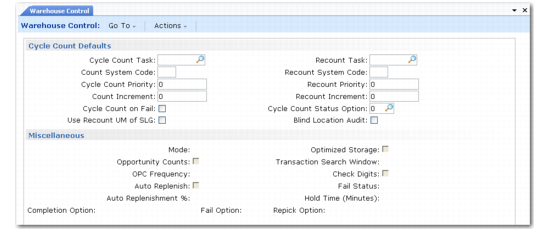
The Cycle Count Defaults and Miscellaneous frames are shown in
Warehouse Control, Cycle Count Defaults and Miscellaneous.
Warehouse Control, Cycle Count Defaults and Miscellaneous
The fields in the Cycle Count Defaults frame and the Miscellaneous frame set default values used when you set up individual warehouse details.
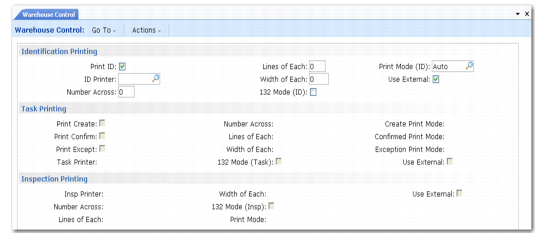
The Printer Defaults frame is shown in
Warehouse Control, Printer Defaults.
Warehouse Control, Printer Defaults
The fields in the Printer Defaults frame set default values used when you set up individual warehouse details.
See
Printing for details.